See the geometry first
Compare squeezed and corrected geometry before creating an output file.
Anamorphic Lens gives photographers and filmmakers a clear, local path from squeezed media to display-corrected stills and video.
Version 1.3.0 · $4.99 on the US App Store · macOS 13+ · Apple M1 or later
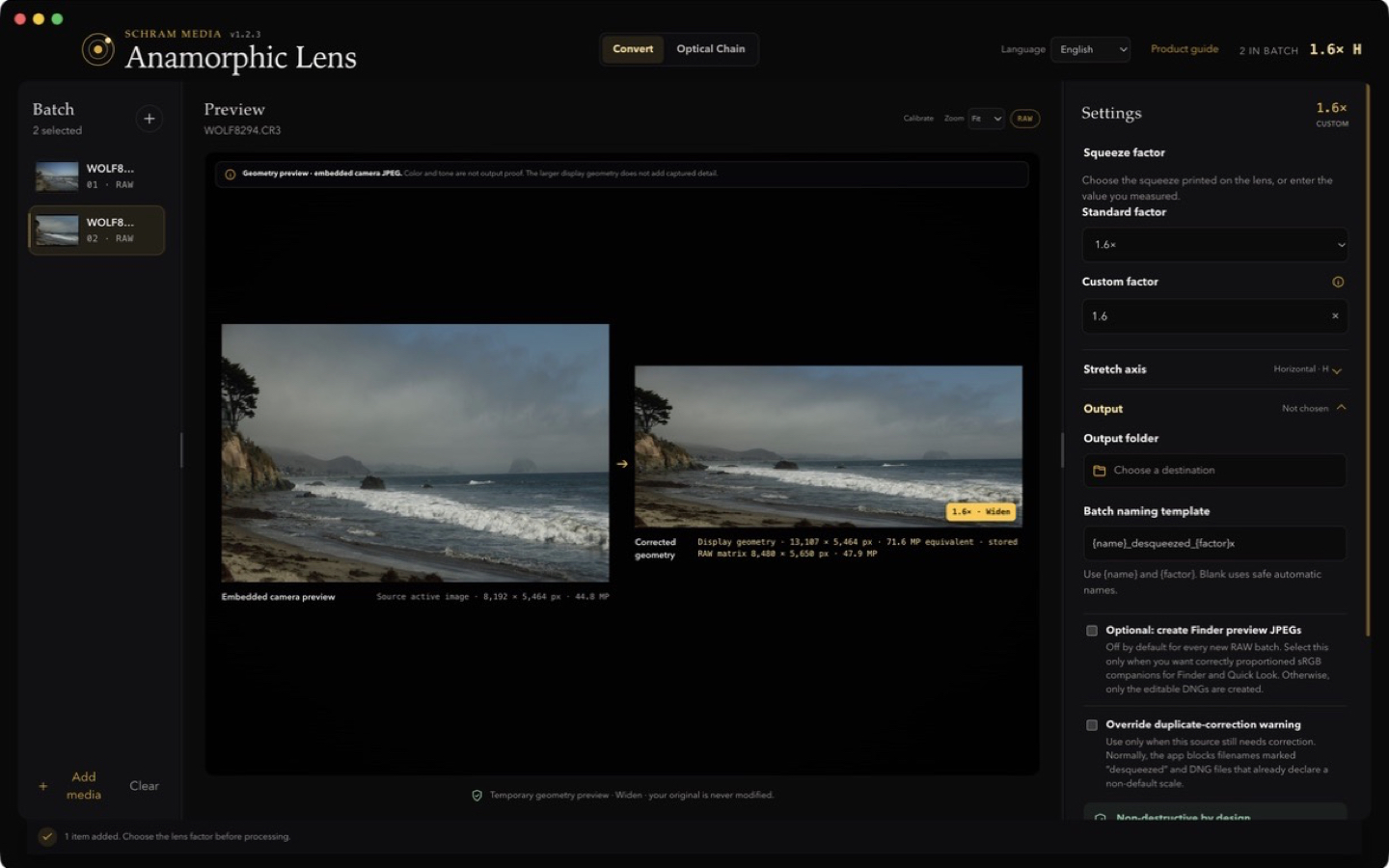
Actual app: original preview on the left, corrected 1.6× geometry on the right. Select the image to see it full-size.
Compare squeezed and corrected geometry before creating an output file.
Create a new display-corrected DNG while keeping the source untouched.
No account, media upload, analytics, advertising, or tracking.
Select a supported RAW photograph, still image, or video.
Use the factor printed on the lens or a measured value.
Confirm the geometry, output format, and destination.
The original is never overwritten.
Requires macOS 13 Ventura or later and a Mac with Apple silicon.
Support and compatibility